


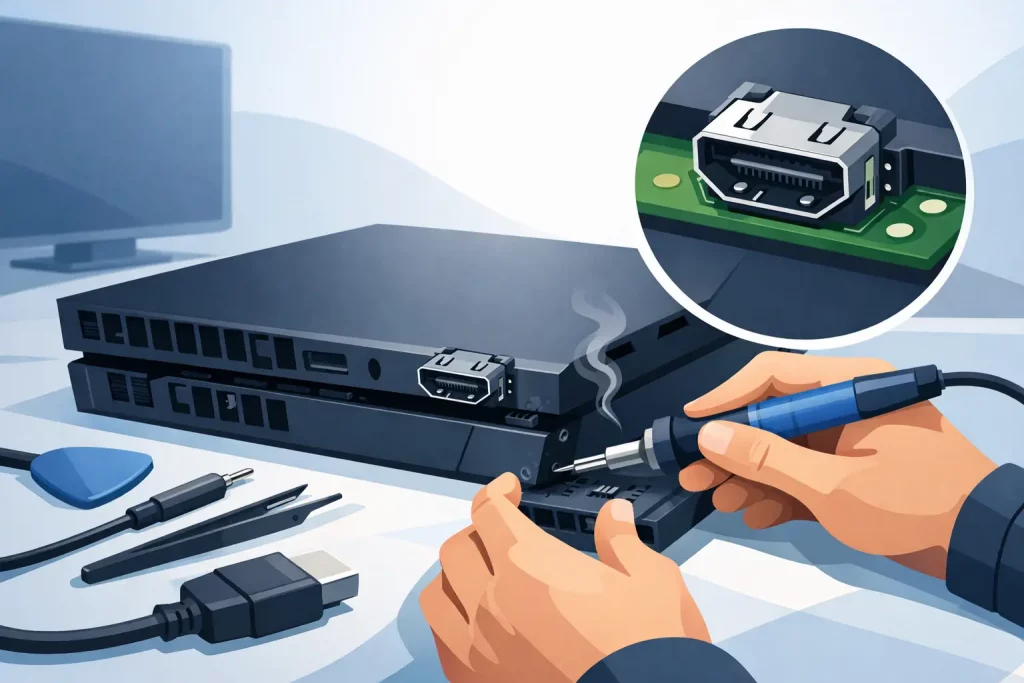
A PlayStation that powers on but shows no picture is one of the most common console faults we see, and a PlayStation HDMI port repair example is often the quickest way to explain what has actually gone wrong. For most people, the problem starts the same way – the console seems alive, the TV detects something, but there is no stable image, no signal, or a flickering screen that drops out without warning. When that happens, the HDMI port is one of the first places an experienced technician will check.
What a PlayStation HDMI port repair example tells you
The HDMI port on a PlayStation takes more strain than most owners realise. The console may be moved between rooms, unplugged in a rush, or connected with a cable that has been forced in at an angle. Over time, that physical stress can damage the port itself, loosen the solder points underneath, or affect the internal pins that carry video and audio to the TV.
In a typical repair example, the customer brings in a PlayStation 5 or PlayStation 4 with one clear complaint – the console turns on, but there is no display. Sometimes the TV says no signal. Sometimes the image appears only if the cable is held in a very specific position. In more severe cases, the port is visibly bent, the metal housing is misshapen, or the internal pins have snapped.
That kind of fault rarely improves on its own. If anything, repeated plugging in and out usually makes it worse.
Common signs the HDMI port is damaged
There are a few symptoms that point towards HDMI port damage rather than a TV issue or software fault. The most obvious is a loose HDMI connection. If the cable wobbles inside the console or does not sit firmly, the port may be physically worn or detached from the board.
Another common sign is intermittent display. You may get a picture for a few seconds, then lose it. You may also notice visual glitches, sparkles on screen, or audio cutting out. That can happen when some pins still make contact while others do not.
There is also the simple no signal fault. The console powers up, lights come on, and yet nothing appears on the television. At that point, proper diagnosis matters. Not every no display issue is caused by the HDMI port. In some cases, the problem sits deeper on the motherboard, such as a damaged HDMI encoder chip or board-level trace damage.
A practical PlayStation HDMI port repair example
Here is a realistic PlayStation HDMI port repair example based on the sort of job a local repair shop handles regularly.
A customer brings in a PS5 after moving house. The console worked before the move, but after being reconnected it shows no picture on two separate TVs. They have already tried a new HDMI cable, changed the TV input, and booted the console in safe mode without success.
On inspection, the HDMI port looks slightly pushed in at one corner. Under magnification, several internal pins are bent and one solder anchor has cracked away from the board. That means the connection is not stable enough to carry signal properly.
The repair begins with disassembling the console carefully to access the motherboard. The damaged port is then removed using professional microsoldering equipment and controlled heat. This is the crucial stage. Too much heat, poor technique, or the wrong tools can lift pads from the board and turn a straightforward repair into a much more expensive one.
Once the old port is removed, the technician checks the pads and surrounding area for additional damage. If the pads are intact, a replacement HDMI port is aligned and soldered into place. The anchors and pins are then inspected under magnification to confirm clean joints and correct positioning.
After reassembly, the console is tested on screen output, resolution switching and connection stability. If the image returns cleanly and remains stable during movement testing, the repair is complete.
That is the best-case version. In some jobs, the original impact has caused further board damage, so the port replacement alone is not enough. That is why a proper quote should follow diagnosis rather than guesswork.
Why HDMI port faults happen in the first place
Most HDMI port failures come down to physical strain. Consoles often sit low to the ground, close to skirting boards or behind TVs where cables are pushed tight against walls. One awkward tug on the lead can put a surprising amount of force through the port.
Children and pets can be part of the story as well. So can regular travel. If a PlayStation goes to a friend’s house, student accommodation or between separated households, repeated unplugging increases wear.
There is also a difference between careful use and daily reality. Even if the console is built well, the HDMI port is still a vulnerable connection point. A single knock can do enough damage to stop display output completely.
Can you fix a PlayStation HDMI port yourself?
Technically, yes – but for most people, it is not a sensible DIY repair. Replacing a PlayStation HDMI port is not like swapping a hard drive cover or fitting a new controller shell. It is a board-level repair that requires specialist tools, stable heat control, microsoldering skill and the ability to inspect fine pins properly.
The main risk is not just failing to fix the problem. It is causing extra motherboard damage in the process. Lifted pads, burnt traces and damaged nearby components can turn a standard repair into a more complex fault. If the console has already been worked on unsuccessfully, the repair cost can increase because the clean-up work takes longer.
For that reason, most owners are better off booking the repair with a technician who handles console board work regularly.
How a professional repair process should work
A good repair service keeps the process clear from the start. First comes fault assessment. That means confirming whether the issue is the HDMI port itself, the encoder circuit, or another display-related fault.
Next comes the quote. Transparent pricing matters because HDMI repairs can vary depending on the damage found. A straight port replacement is one job. Trace repair or additional board work is another.
Then comes the repair and testing. A proper service should not stop at soldering on a replacement part. The console should be tested for stable output and checked for any related issues before collection. Warranty-backed work adds peace of mind, especially with faults that involve delicate board repair.
This is where a trusted local repairer makes a difference. If you are in Sheffield and need the fault checked quickly, a shop such as Mobitech Sheffield can give you a straightforward diagnosis and a realistic repair path without unnecessary delay.
Repair or replace?
For most PlayStation owners, repairing the HDMI port is the more cost-effective option. Replacing the entire console is expensive, especially if the rest of the hardware works perfectly well. A port repair is usually far cheaper than buying another PS5 or PS4, and it keeps your saved data and existing setup intact.
That said, it does depend on the extent of the damage. If the motherboard has suffered significant impact damage, liquid damage, or multiple failed repair attempts, the economics can shift. In those cases, diagnosis is essential before anyone can honestly say whether repair is worthwhile.
How to reduce the chances of it happening again
Once repaired, a few simple habits can help protect the new HDMI port. Avoid pulling the cable out at an angle. Make sure the console has enough clearance behind it so the cable is not bent sharply against the wall. If the console is moved often, unplug carefully and transport it in a way that does not put pressure on the rear ports.
It is also worth checking the HDMI lead itself. A damaged or overly stiff cable can place extra strain on the port over time. Sometimes replacing the cable is a small step that helps avoid a repeat repair.
When to book a repair
If your PlayStation has no display, flickers on and off, or only works when the HDMI cable is held in place, it is worth getting it checked before the fault gets worse. Leaving a damaged port in use can increase board stress, and repeated force on a loose connection rarely ends well.
The most helpful next step is simple: get the console assessed properly, ask for a clear quote, and choose a repair service that offers experienced technicians, transparent pricing and warranty-backed work. A clean HDMI repair can get your PlayStation back on screen far faster than most people expect.