
A cracked screen rarely happens at a convenient time. One dropped phone can leave you reading messages through broken glass, worrying about your photos, or wondering whether the device will last until payday. If you have typed “how to protect cracked phone” into your search, the priority is simple: prevent the damage getting worse, keep yourself safe and arrange a proper repair as soon as you can.
A crack does not always mean the phone has stopped working, but it does mean its protection has been compromised. Even a small fracture can spread with pressure, heat, moisture or another knock. The steps below can help you keep using the device carefully while you decide on a repair.
Check whether it is safe to use
Start by looking closely at the screen and the phone’s frame. If loose shards are lifting from the display, the glass feels sharp, the screen is separating from the body, or the phone becomes unusually hot, stop using it where possible. A swollen battery can push the display upwards and needs urgent professional attention. Do not press the screen back into place or try to puncture anything.
You should also switch the phone off and seek help promptly if you notice flickering, black blotches, coloured lines, touch controls working by themselves, a burning smell, or liquid beneath the screen. These can point to damage beyond the outer glass. Continuing to charge or use a severely damaged handset can make a straightforward screen repair more complicated.
If the crack is light, the display works normally and there are no exposed fragments, you may be able to use the phone carefully for a short period. Treat it as a temporary measure, not a permanent fix.
How to protect a cracked phone from further damage
The biggest risks are pressure, moisture and repeated impacts. A cracked screen has lost much of the strength it had when it left the factory, so ordinary day-to-day handling matters more than usual.
Fit a case that has a raised lip around the display and corners. It will not repair the crack, but it can reduce the chance of the screen striking a surface directly if the phone is dropped again. Avoid tight cases that push against a damaged edge or screen that is already lifting.
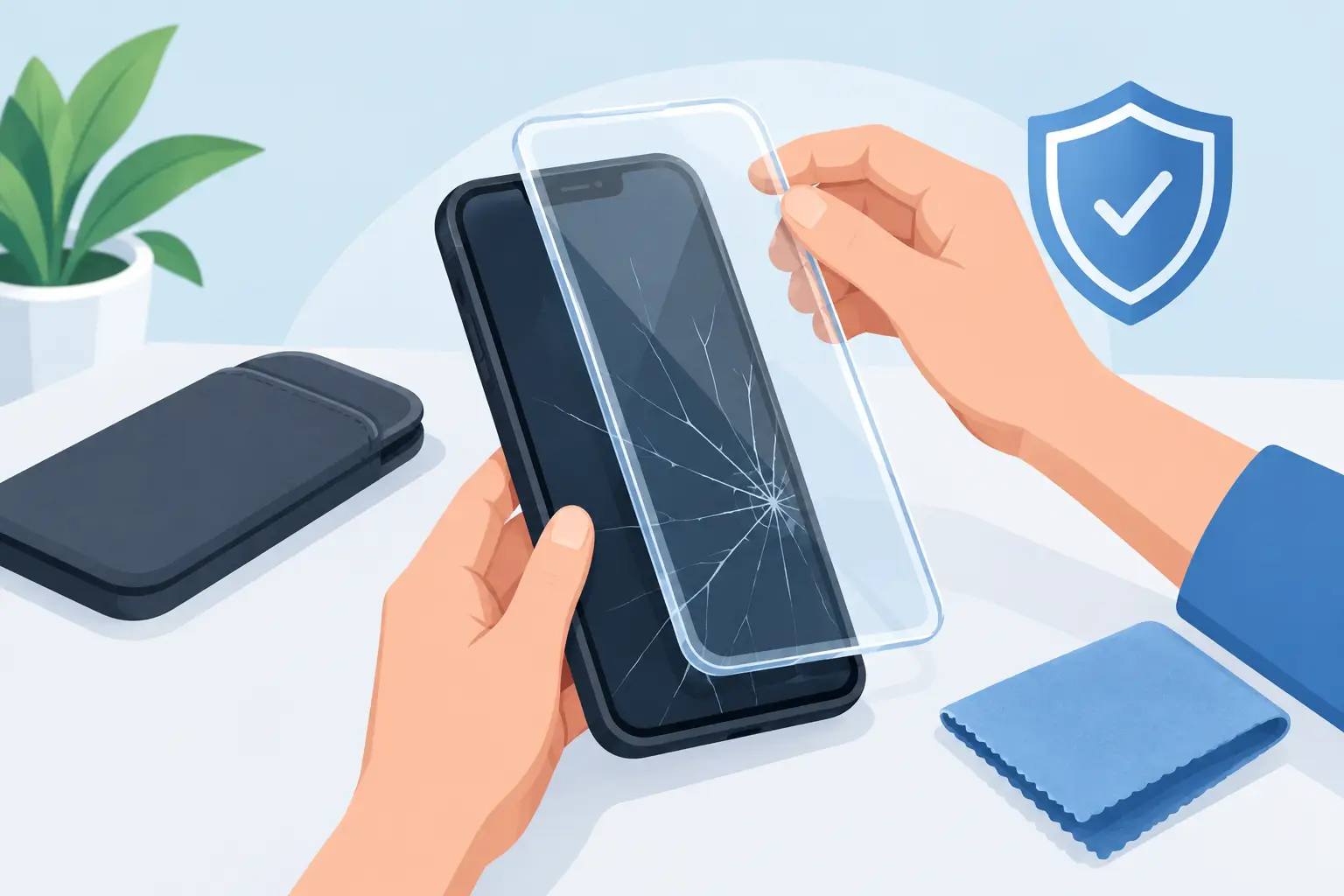
A screen protector can be helpful when the damage is minor and the surface is still flat. A good-quality tempered glass protector may hold tiny fragments in place and make the screen safer to touch. It is less suitable for a badly shattered display, deep chips around the edge, or a screen that is separating from the phone. In those cases, forcing a protector down can add pressure and worsen the damage.
For a very short-term option, a clean, clear protective film can cover a lightly shattered surface. Apply it gently without pressing hard across the cracks. Do not use glue, nail varnish or liquid glass products. They can seep into openings, interfere with touch sensitivity and make a later repair more difficult.
Keep the handset in a separate pocket or compartment rather than loose with keys, coins or chargers. When placing it on a desk, put it screen-up on a clean, dry surface. Do not put it in a back pocket, where sitting down can flex the frame and turn a hairline crack into a broken display.
Keep water and dirt away from the damaged screen
A phone may have been water-resistant before it cracked, but a damaged display can create a route for moisture, dust and debris to enter. Do not assume its original water-resistance rating still applies.
Keep it away from rain, the bathroom, kitchen splashes and damp bags. Avoid using it with wet hands, and never rinse the screen under a tap. If it does get wet, switch it off, remove the case and gently dry the outside with a soft lint-free cloth. Do not use a hairdryer, place it on a radiator or put it in rice. Heat can damage internal components, while rice does not remove moisture from inside the phone.
If liquid may have entered through a crack, do not charge the handset. Getting it checked quickly gives the best chance of preventing corrosion and further faults.
Clean it without making the crack worse
Fingerprints and dust can make a damaged screen unpleasant to use, but aggressive cleaning is a bad idea. Wipe gently with a dry microfibre cloth. If needed, use only a small amount of screen-safe cleaner on the cloth, never directly on the display.
Avoid pushing debris out of cracks with a pin, toothpick or fingernail. This can scratch the display layers underneath or force dirt deeper into the phone. If there are sharp fragments, cover the area temporarily rather than trying to remove the broken glass yourself.
Back up your phone before the fault develops
A cracked phone can continue working for weeks, or it can fail after one more drop. The display may suddenly stop responding even though the device is still powered on. Back up your important data while you still have access.
Save your photos, contacts, notes, messages and work files to your preferred cloud service or a computer. Make sure you know your passcode and account passwords too. If your phone uses an authenticator app for banking, work or email, check that you have a recovery method available before handing the device in for repair.
This is particularly useful if the crack is spreading, touch response is intermittent or the display has started to show dark patches. A screen replacement normally preserves the data already on the device, but backing up gives you an extra layer of protection.
Use the phone carefully while waiting for repair
Turn down the screen brightness and avoid demanding games or long video sessions if the phone is running hot. Heat can stress damaged display layers and affect a weakened adhesive seal. Use a cable and charger in good condition, and stop charging if the phone overheats, disconnects repeatedly or shows a moisture warning.
Where possible, use hands-free features. Voice calls, earbuds and voice assistants reduce the amount of tapping and swiping on a cracked display. If touch input is difficult, avoid pressing hard. Excess pressure can cause ink-like black patches, dead areas or complete display failure.
Do not delay simply because the phone is still usable. Small cracks often spread from the edge across the screen, particularly on curved displays or phones that have taken an impact near a corner. Repairing the device before moisture or internal damage develops is usually the more cost-effective option.
When a screen repair is the right next step
A professional technician can establish whether only the outer glass is damaged or whether the full display assembly needs replacing. Modern phones often combine the glass, touch digitiser and display into one bonded unit, so a visible crack can affect more than the surface layer.
Choose a repairer that explains what is included, uses quality replacement parts and provides a clear warranty on the work. Ask about turnaround time, especially if the phone is essential for work, study or family contact. For many common models, same-day or while-you-wait repair may be possible, depending on parts availability and the extent of damage.
At Mobitech Sheffield, experienced technicians can assess cracked screens across leading phone brands and explain the repair options before work begins. That means you can make a clear decision based on the condition of your device, the repair required and the cost.
A cracked phone deserves careful handling, not a risky DIY fix. Protect it from pressure and moisture, back up what matters, and get the damage assessed before a small crack becomes a bigger interruption.
