
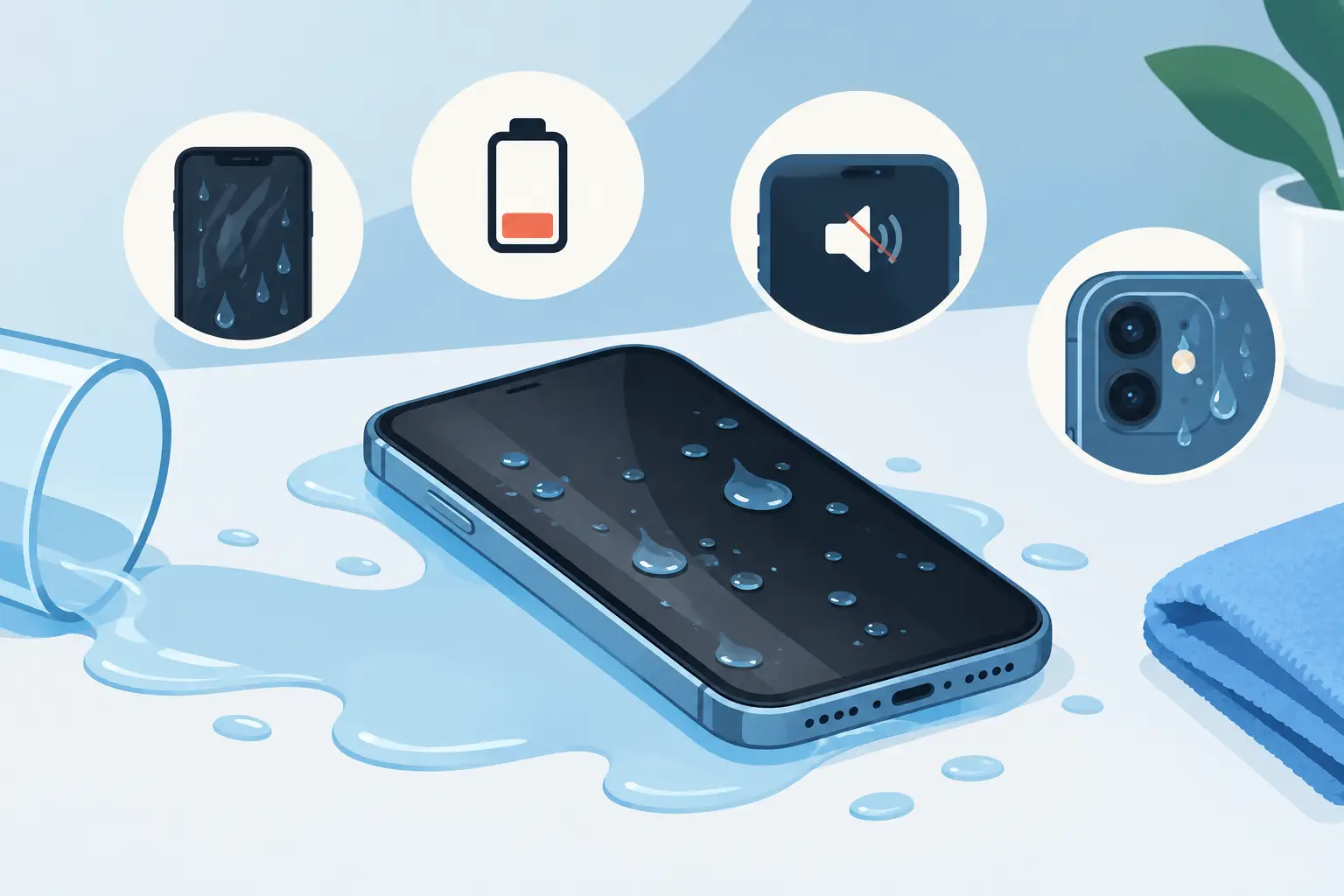
A phone dropped in the sink, caught in heavy rain or left beside a spilled drink can look perfectly normal at first. That does not always mean it is safe. The top signs of phone water damage often appear gradually as moisture reaches connectors, the battery, screen components or charging port. Acting early gives you the best chance of avoiding a more serious fault and protecting the data you rely on.
Top signs of phone water damage
The screen flickers, dims or develops lines
A screen that starts flickering after contact with water is a common warning sign. You may notice vertical lines, dark patches, a dim display, ghost touches or a screen that turns on and off without being touched. Moisture can interfere with the display connector or damage the screen itself.
Do not assume every screen fault means the display needs replacing. A technician needs to check whether the issue is limited to the screen, caused by a corroded connector or linked to a deeper board-level fault. This matters because the right diagnosis can prevent you paying for a part that will not solve the underlying problem.
Touch controls become unreliable
If the phone opens apps, types letters or scrolls by itself, water may have affected the digitiser layer beneath the glass. Equally, parts of the screen may stop responding altogether.
A wet screen surface can briefly cause false touches, so carefully drying the outside may resolve a minor issue. If the problem continues once the handset is dry, switch it off and arrange an inspection. Continued use can make accidental calls, unwanted purchases and data loss more likely.
It will not charge, or charging becomes intermittent
Charging problems are among the clearest signs of water exposure. Your phone may display a moisture warning, refuse to charge, connect and disconnect repeatedly, or only charge when the cable is held at a certain angle. You may also see discolouration, residue or a burnt smell around the charging port.
Do not keep plugging the cable in to test it. Charging a damp device can cause a short circuit and turn a repairable charging-port fault into a larger internal problem. If your handset supports wireless charging, do not use that as a workaround until the device has been properly assessed either. Water may still be inside the phone.
The phone heats up or battery life drops sharply
A battery that drains much faster than usual after a spill should be taken seriously. Liquid damage can create electrical resistance or unwanted current draw, making the handset work harder and become warm even when it is not in use.
Unexpected heat, swelling, a lifting screen or a chemical smell require immediate action. Turn the phone off, stop charging it and keep it away from flammable materials. A swollen battery is a safety concern, not something to ignore until your next upgrade.
The cameras look foggy or will not focus
Condensation under a camera lens is a strong indication that moisture has entered the handset. Photos may appear hazy, the camera may struggle to focus, or the app may show a black screen and close unexpectedly.
Fog can sometimes disappear as moisture shifts inside the device, but that is not proof the phone has recovered. The water may leave mineral deposits and corrosion behind, which can cause faults days or weeks later. A prompt internal inspection is the sensible option, particularly if you rely on your phone for work, banking or family photos.
Sound is muffled or microphones stop working
Water can block speaker mesh and affect microphones. Calls may sound quiet, voice notes may record poorly, alarms may become hard to hear, or the other person may struggle to hear you on a call.
Minor muffling from water in the speaker grille may improve after the device has been left to dry naturally. Persistent crackling, distortion or microphone failure suggests there is more than surface moisture involved. Avoid poking speaker holes with pins, cotton buds or paper, as this can push debris further inside or damage the mesh.
Buttons, Face ID or fingerprint security fail
Physical buttons may feel sticky, stop clicking or work only occasionally after liquid exposure. On some devices, facial recognition, fingerprint sensors and proximity sensors can also stop working because moisture has reached a delicate cable or sensor assembly.
These functions are not always separate repairs. For example, a damaged sensor flex can affect several features at once. A full diagnosis is more useful than replacing components one by one and hoping the fault disappears.
The phone restarts, freezes or behaves unpredictably
Random restarts, app crashes, a permanent boot loop or a phone that switches off at 30 per cent battery can point to internal corrosion. This is especially likely if the issues begin after rain, a spill, a dropped toilet incident or use near a pool.
The difficult part is timing. A phone may seem fine for a day or two before corrosion develops on connectors and circuit-board components. The sooner power is removed and the device is inspected, the better the prospect of limiting that damage.
What to do straight away after water exposure
The first few minutes matter more than most people realise. Remove the phone from the water, switch it off if possible, take off the case and disconnect any cable or accessory. Gently dry the exterior with a soft, lint-free cloth, then place the phone with its charging port facing down in a dry, well-ventilated area.
Do not use a hairdryer, radiator, microwave or compressed air. Heat can damage seals, screens and batteries, while forced air can drive moisture deeper into the phone. Do not shake it vigorously for the same reason.
Rice is also not a reliable fix. It does not remove liquid from beneath shields or connectors, and loose dust can enter the charging port. Time, correct drying conditions and professional cleaning where needed are far safer than home remedies.
If the handset is still working, avoid unnecessary use. Backing up essential information may be worthwhile only if the phone is stable, cool and not showing charging or display faults. Otherwise, switch it off and prioritise preventing further electrical damage.
Why water-resistant phones can still fail
Many newer phones are water-resistant, but that is not the same as waterproof. Their resistance depends on seals, adhesive and gaskets that can weaken with age, previous repairs, drops and everyday wear. Even a device with a high water-resistance rating may not be protected from hot water, salt water, soapy water or pressurised water.
The liquid itself also makes a difference. Clean fresh water is generally less damaging than a sugary drink, seawater or toilet water, because dissolved minerals and contaminants can leave conductive residue behind. A phone that survives a brief splash may still need attention if the charging port or speaker area was directly exposed.
When to arrange a professional diagnosis
Book a diagnosis as soon as you notice one or more of the top signs of phone water damage, especially charging refusal, overheating, screen faults or repeated restarts. You should also seek help after a significant immersion even if the device seems normal. Waiting for a fault to become obvious can give corrosion more time to spread.
At Mobitech Sheffield, experienced technicians can assess the extent of liquid damage, identify the affected parts and explain the practical repair options before work begins. The right solution depends on the device, the liquid involved, how long it was exposed and whether corrosion has reached critical components. Clear advice and transparent pricing help you decide whether repair is worthwhile.
A wet phone does not always mean it is beyond saving, but it is rarely a problem to leave to chance. Switch it off, keep it unplugged and get it checked promptly – that simple decision can make the difference between a straightforward repair and a complete device failure.
