
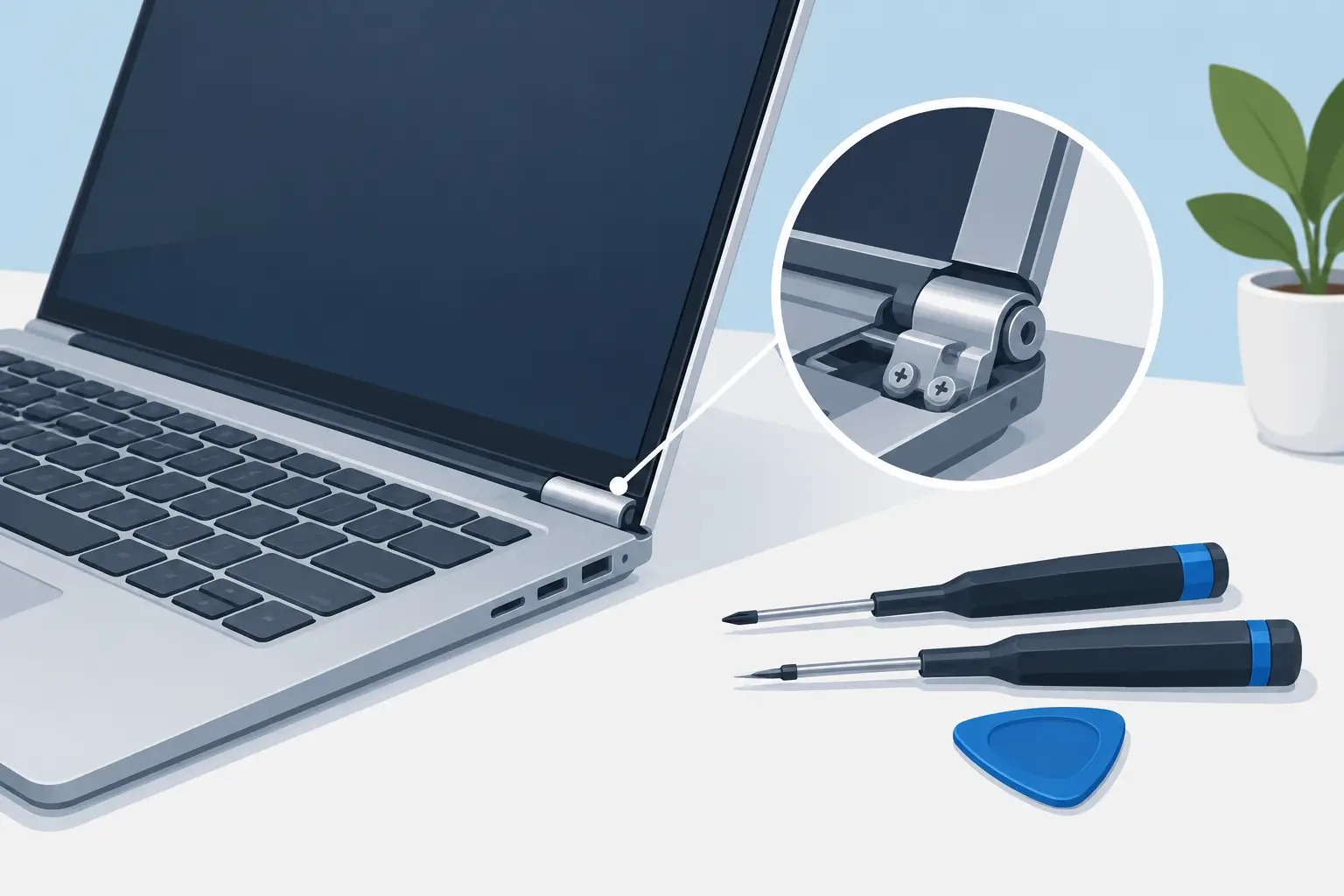
A laptop hinge that cracks, stiffens or pulls away from the case can turn a perfectly usable device into a daily risk. So, can laptop hinges be repaired? In many cases, yes – but the right repair depends on whether the hinge itself, the plastic casing, the screen assembly or the internal mounting points have been damaged.
For anyone using a laptop for work, university, home admin or a small business, it is usually worth having the damage assessed early. Continuing to force a failing hinge can break the display cable, damage the screen or split the casing further, making a straightforward repair more involved and more expensive.
Can Laptop Hinges Be Repaired Successfully?
Laptop hinges can often be repaired or replaced, even when the lid no longer opens smoothly or one side has come loose. A technician will first establish what has actually failed. The metal hinge may be seized, bent or worn, but it is also common for the small screw mounts inside the lid or lower case to crack away.
This distinction matters. Replacing a hinge alone will not solve the problem if its mounting points have broken. Equally, repairing a cracked plastic mount without dealing with a stiff hinge may mean the same fault returns. A proper repair addresses the cause as well as the visible damage.
The most successful jobs tend to be caught early, before the lid has been repeatedly forced open and shut. However, laptops with obvious gaps around the hinge, a lifted bezel or a lid that feels detached can still be repairable. The condition of the screen, cables and replacement parts will determine the best route.
Signs Your Laptop Hinge Needs Attention
Hinges rarely fail without warning. You may notice a clicking or crunching sound when opening the laptop, increased resistance on one side of the lid, or movement in the plastic around the hinges. The screen may wobble, sit at an awkward angle or refuse to stay in position.
A more urgent sign is the case separating as the lid opens. On some laptops, the rear cover, palm rest or display bezel begins to lift because the hinge mounts are pulling free. Do not press the casing back together or use glue around the outside as a permanent fix. This can trap a damaged cable, interfere with screws and make a later repair harder.
If the display flickers, goes black when moved or shows lines across the panel, stop opening and closing the lid where possible. The display cable may be under tension. Back up important files if the laptop still starts, then arrange an inspection rather than risking further screen damage.
What a Laptop Hinge Repair May Involve
There is no single hinge repair for every laptop. The job may involve replacing one or both hinges, rebuilding the mounting area, fitting a new lid or lower case, or replacing the screen assembly where the hinge mounts are built into it.
A technician normally removes the base cover and battery connection before accessing the hinge screws and display cable. The screen assembly may need to come apart, which requires care: modern laptop bezels and panels can be thin, tightly fitted and easy to damage if handled incorrectly.
Where only the hinge mechanism has failed, replacement is often the cleanest solution. Hinges are designed to provide a specific amount of resistance, and a worn, bent or excessively tight unit is not reliably repaired by bending it back into shape. Replacing both hinges together can make sense where they are supplied as a pair or where wear is similar on both sides.
When the mounting posts have broken from a plastic case, the durable solution may be a replacement casing section. Some damage can be carefully reinforced or rebuilt, depending on the model and the extent of the break. This can be a cost-effective option, but it needs to be assessed honestly. If the surrounding plastic is badly fractured, a new case part may offer a longer-lasting result.
Is It Worth Repairing a Broken Laptop Hinge?
It depends on the laptop’s age, value and overall condition. A relatively recent laptop with a good battery, working screen and enough performance for your needs is often well worth repairing. A hinge repair can cost considerably less than replacing a device, especially when the fault is contained before it damages the display.
For an older laptop with several problems, such as a failing battery, cracked screen and sluggish performance, it is sensible to weigh the total repair cost against replacement. That does not automatically mean a repair is the wrong choice. Many people need access to their files, prefer to avoid the cost of a new laptop, or only need the device to remain reliable for a specific period.
The key is clear pricing after diagnosis. A trustworthy repairer should explain what has failed, whether further damage has been found and what parts are needed before work begins. At Mobitech Sheffield, customers can bring in a damaged laptop for an assessment and receive straightforward advice on the most practical repair option.
Why DIY Hinge Repairs Can Go Wrong
Online repair guides can make hinge work look simple, but laptops vary widely. Hidden screws, adhesive strips, fragile display cables and tight clips are common. A screw that appears to secure the hinge may also hold part of the cooling system, motherboard or screen bracket in place.
The biggest DIY risk is applying force to the screen. If a hinge has seized or pulled its mounts loose, opening the lid can put pressure directly onto the LCD panel. A small crack can become a full screen replacement job very quickly.
Using household adhesive is another common short-term fix. It may hold a loose corner temporarily, but it does not restore a broken hinge post or correct a hinge that is too tight. Adhesive can also make disassembly difficult and leave residue on components that need to be removed safely.
If you are confident working on electronics and have the exact replacement part, a careful repair may be possible on some models. For most people, though, the potential saving is outweighed by the risk of damaging the screen, cable or casing.
How to Protect Your Laptop After a Hinge Repair
Once repaired, open the lid from the centre using both hands rather than lifting one corner. This spreads the force evenly across both hinges. Avoid carrying the laptop by its screen, and do not store heavy items on top of it in a bag.
Keep the device on a stable, flat surface when opening and closing it. Repeated twisting of the chassis can put extra strain on the hinge mounts, particularly on slim laptops with lightweight plastic cases. If you feel resistance, hear clicking or notice the case starting to separate again, stop using the lid normally and have it checked promptly.
A hinge repair should leave your laptop opening smoothly, holding its screen securely and protecting the display cables inside. Early action is the best way to keep a small mechanical fault from becoming a bigger repair. If your laptop is becoming difficult to open, a professional assessment can give you a clear answer before the damage spreads.
